
- Configure with Confidence
- Template Configurator
Configure with Confidence
Template Configurator
Interactive tool I created to build custom AIOStreams templates for Core Builds
Core Builds Template Configurator
The Core Builds Configurator is an interactive web-based tool I created to help users generate custom AIOStreams templates quickly and easily. This tool allows you to build optimized streaming configurations without any coding knowledge.

Overview
The configurator is designed to simplify the process of creating streaming manifests that aggregate content from multiple sources into a unified interface. It supports various debrid services, streaming applications, and offers extensive customization options.
Key Features
No Account Required
Runs entirely in your browser with complete privacy
Template Builder
Create optimized templates for your specific setup
Service Integration
Support for TorBox, AllDebrid, Real-Debrid, and more
Getting Started
Accessing the Configurator
The configurator is available at: https://brevitya.github.io/Core-Builds/configurator/
When you first open the configurator, you’ll be greeted with an onboarding modal that explains:
- What it does: Creates aggregated streaming manifests
- How long it takes: 1-3 minutes for setup
- Privacy: All processing happens locally in your browser
Tutorial Walkthrough
The configurator includes a comprehensive 7-step tutorial that guides you through all available options:
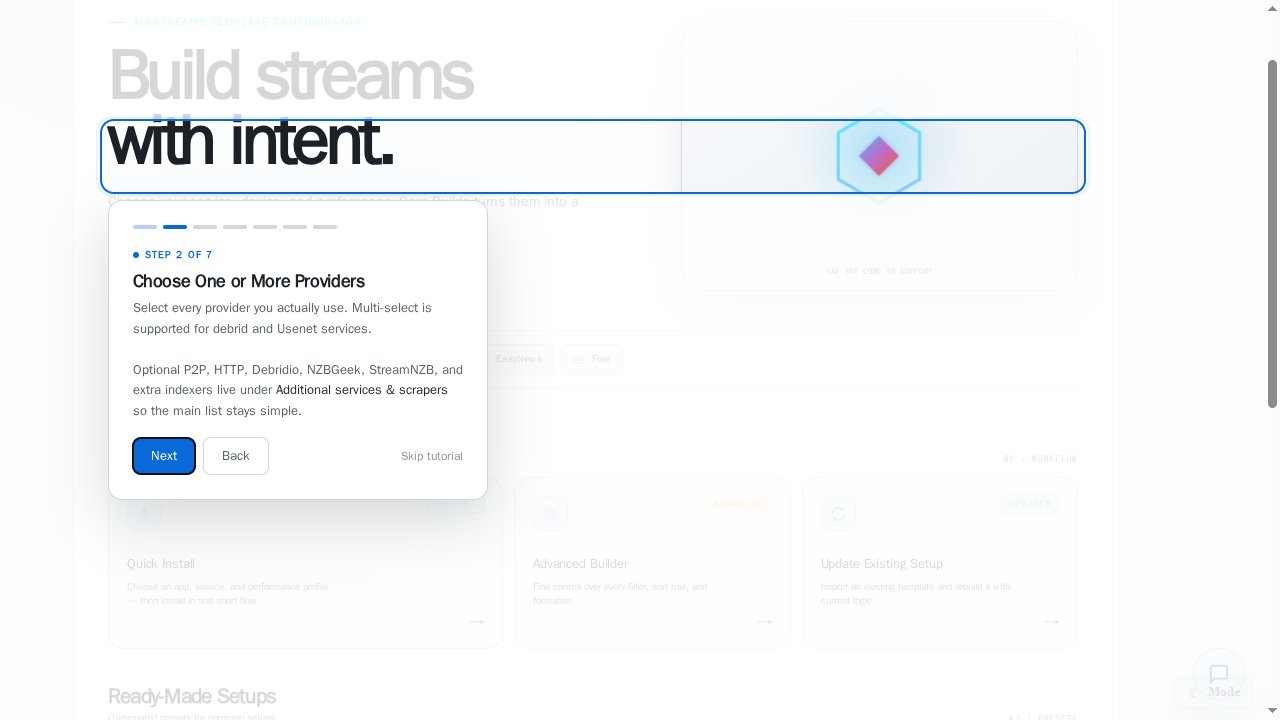
Understanding Core Builds
Learn how the tool aggregates streams from multiple sources
Privacy & Setup
Understand the local processing and open-source nature
Ready-Made Setups
Explore presets for device, quality, cache, and sorting
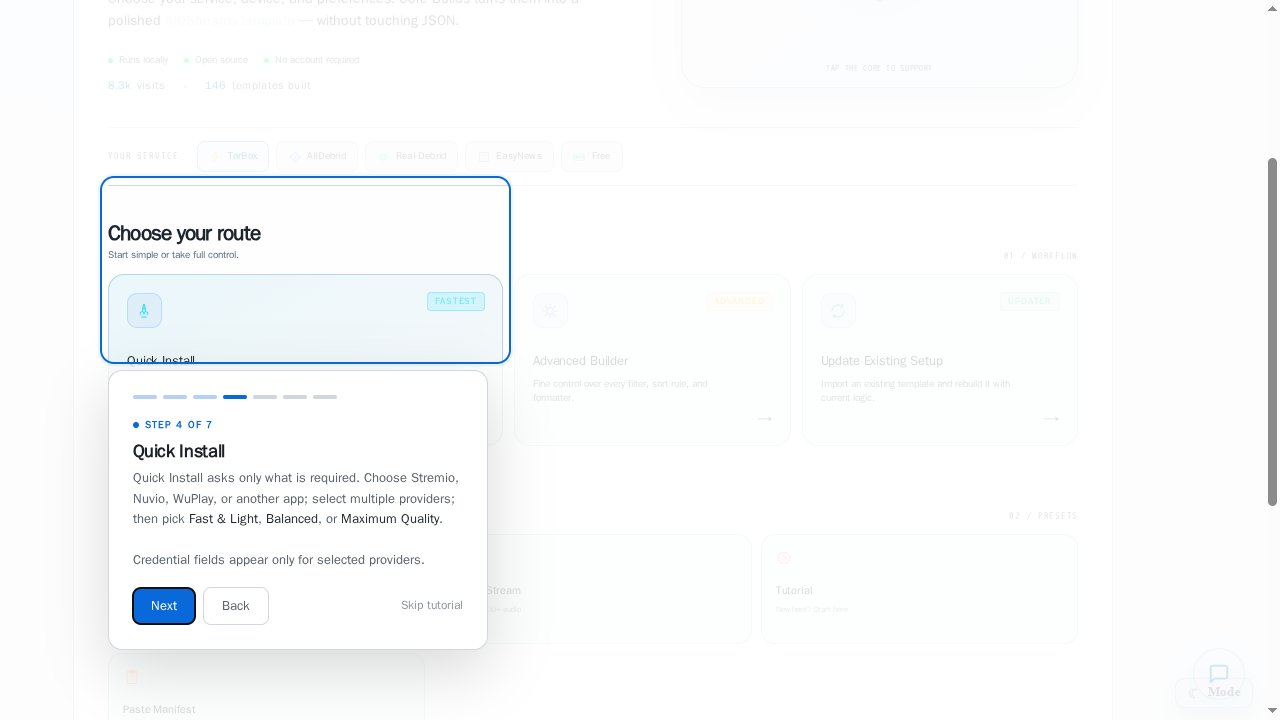
Quick Install
Streamlined setup for choosing app, providers, and performance
Guided Setup
Step-by-step configuration with explanations
Advanced Builder
Full control over every aspect of your template
Additional Options
Learn about updating existing setups and importing manifests
Configuration Routes
The configurator offers three main paths, each suited to different needs:
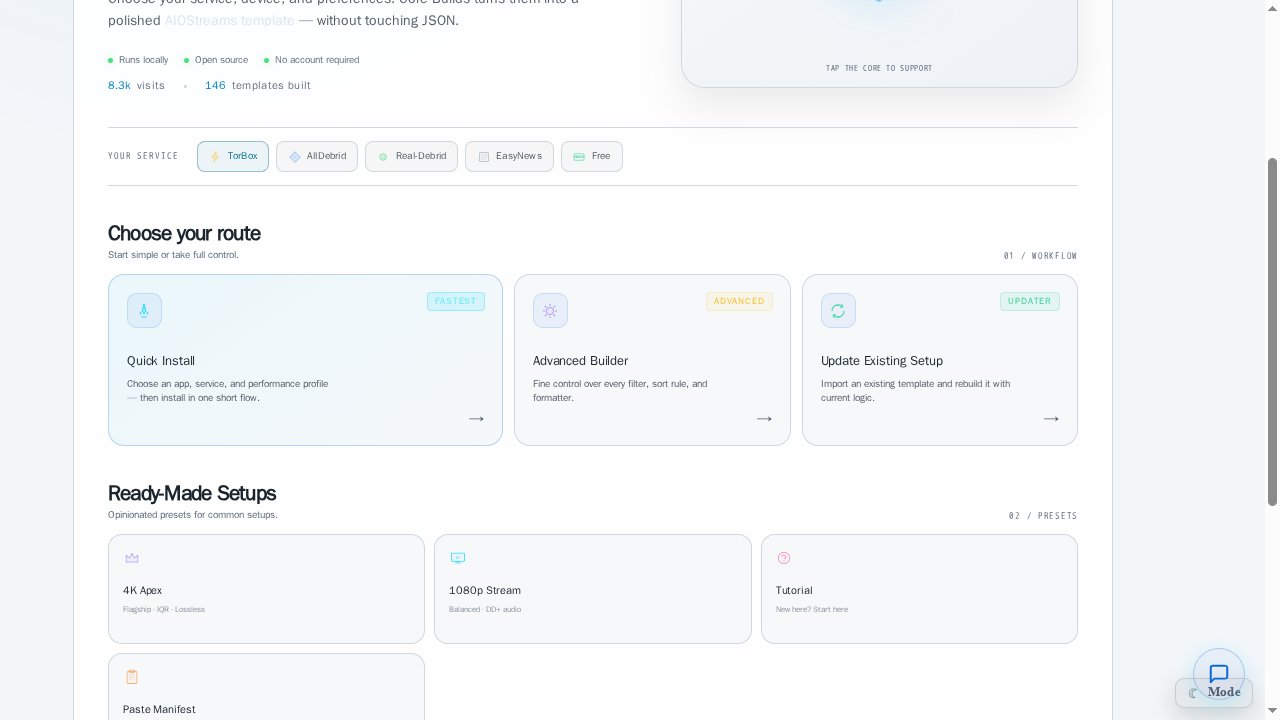
Quick Install (FASTEST)
The Quick Install route provides the fastest way to get started with pre-optimized settings:

Configuration Steps
App Selection
Provider Selection
Performance Profile
Choose your streaming application:
- Stremio: Most popular option with full feature support
- Nuvio: Alternative streaming client
- WuPlay: Specialized player
- Other app: Manual configuration for any compatible app
Required Credentials
Most debrid services require API keys or credentials. Have these ready before starting the configuration.
Advanced Builder (ADVANCED)
The Advanced Builder provides granular control over every aspect of your template:
Service Configuration
Fine-tune each service with custom parameters
Format Selection
Choose from various format presets with live preview
Scraper Settings
Configure scrapers for usenet, debrid, and free sources
Custom Filters
Set quality, size, and other filtering criteria
Update Existing Setup (UPDATER)
For users with existing configurations:
- Import your current manifest URL
- Modify specific settings
- Export the updated configuration
- Replace your existing setup seamlessly
Splash Presets
The configurator includes several pre-configured templates:
4K Apex
1080p Stream
Tutorial
Paste Manifest
Optimized for 4K streaming with:
- Maximum quality settings
- High bitrate tolerance
- HDR support
- Premium debrid prioritization
Installation Options
When using Quick Install with Stremio, additional options are available:
Stremio-Specific Features
Replace Older Installs
Automatically remove previous Core Builds installations
Patch Cinemeta
Enhance metadata handling for better content discovery
Install AIOMetadata
Add comprehensive metadata addon for enriched information
Custom Naming
Set a custom name for your configuration
Output Options
Once configuration is complete, you can:
Download Configuration
- Get a manifest file for manual installation
- Save configuration for backup
- Share with other users
URL Generation
- Create a shareable link to your configuration
- Use for remote installation
- Enable easy updates
QR Code
- Generate QR code for mobile devices
- Quick setup on phones/tablets
- Simplified sharing method
Interface Features
Visual Elements
The configurator includes several UI enhancements:
Dark/Light Mode
Toggle between themes for comfort
Progress Tracking
Visual indicators for configuration steps
Live Preview
See format changes in real-time
User Feedback
The configurator provides immediate feedback through:
- Toast notifications for actions
- Color-coded status indicators
- Validation messages for inputs
- Success/error states
Tips for Best Results
For First-Time Users: Start with Quick Install to get a working configuration, then explore Advanced Builder for customization.
API Keys: Keep your debrid service API keys secure. The configurator processes them locally, but never share configurations containing credentials.
Validation: The configurator automatically validates service credentials and compatibility before generating templates.
Troubleshooting
Browser Requirements
The configurator works best with:
- Modern browsers (Chrome, Firefox, Safari, Edge)
- JavaScript enabled
- Cookies allowed for the site
- Stable internet connection for service validation
Privacy & Security
Core Builds processes configuration choices locally in the browser. Direct Install sends the generated configuration to the AIOStreams host selected by the user. Public import links intentionally remove credentials before upload, so users may need to re-enter some credentials after import.
Next Steps
After creating your configuration:
- Install: Apply the configuration to your chosen streaming app
- Test: Verify streams are working correctly
- Customize: Return to Advanced Builder for fine-tuning
- Share: Help others with similar setups using URL sharing
For more detailed information about specific template features, see the Custom Templates Guide.